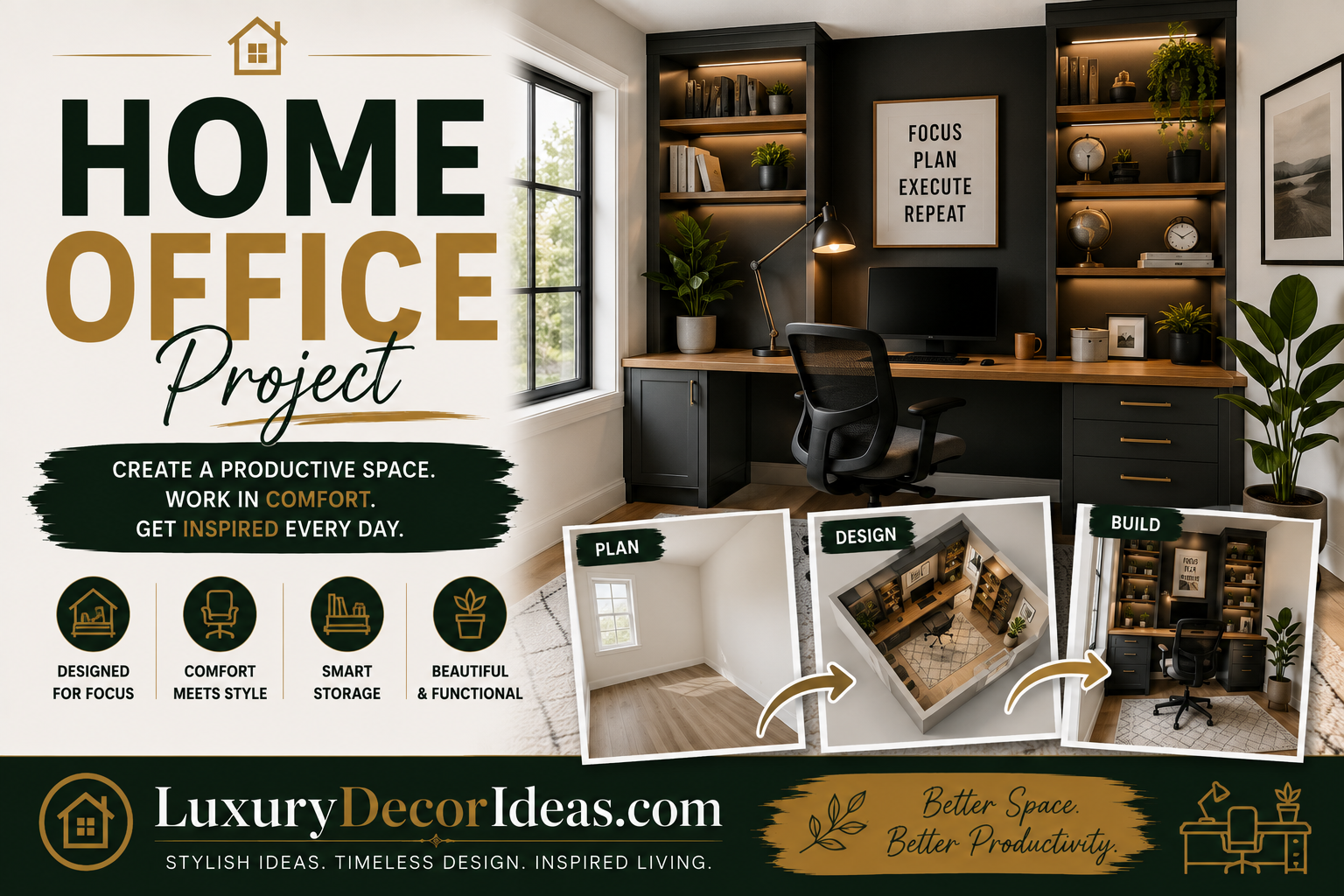
Remote and hybrid work have fundamentally changed what people need from their homes, and a genuinely functional, inspiring home office has quickly become one of the most requested spaces in modern renovations and everyday home setups alike. Whether you are converting an unused bedroom, carving out a corner of your living room, or finally giving that awkward nook under the stairs a real purpose, creating a home office that actually works for your daily life is genuinely worth the thoughtful planning it deserves.
We are walking through a complete home office project, covering everything from choosing the right space and layout to furniture, storage, technology, and those final styling touches that make the room genuinely enjoyable to work in every single day. Let us build the workspace you actually deserve. 🖥️✨
Why Your Home Office Deserves Real Planning Attention 🤔
Before diving into the specific project steps, let us talk about why this space genuinely warrants dedicated thought rather than simply setting up a desk wherever space happens to be available.
🌟 A well planned workspace genuinely improves focus and productivity throughout your workday 🌟 Poor ergonomics and lighting can lead to real physical discomfort over months and years of daily use 🌟 A dedicated, well organized space helps mentally separate work time from personal time, even within the same home 🌟 Thoughtful design genuinely makes video calls, in home meetings, and daily work tasks feel more professional and put together 🌟 A space you actually enjoy spending time in can meaningfully improve your overall relationship with remote or hybrid work
With that context established, let us walk through exactly how to plan and create your own home office project.
Step One: Choose the Right Location 📍
Before purchasing any furniture, take time to genuinely evaluate which space in your home offers the best foundation for a functional office.
🚪 A dedicated spare room offers the most privacy and separation, ideal for those with frequent video calls or a need for quiet focus 🛋️ A defined corner within a larger room, like a living room or bedroom, works well for households without extra dedicated space 🪜 Underutilized areas, like a landing, closet conversion, or space beneath a staircase, can surprisingly accommodate a functional micro office 🌤️ Prioritize access to natural light wherever possible, since this genuinely impacts both mood and reduced eye strain throughout the workday
Comparison Table: Location Options Comparison 🧾
| Location Type | Privacy Level | Best For |
|---|---|---|
| Dedicated Spare Room | High | Frequent calls, deep focus work |
| Defined Room Corner | Low to Medium | Limited space households |
| Closet Conversion | Medium | Small footprint, hidden storage |
| Under Stair Nook | Medium | Creative use of unused space |
Step Two: Plan Your Layout and Desk Placement 📐
Once you have chosen your location, thoughtful layout planning genuinely determines how functional the finished space will feel.
📏 Measure your available space carefully, including width, depth, and ceiling height if relevant 🖥️ Position your desk to take advantage of natural light without creating glare on your computer screen, generally perpendicular to windows rather than directly facing or backing them 🚪 Consider your video call backdrop, positioning your desk so that whatever appears behind you on camera looks genuinely intentional 🔌 Plan for adequate outlet access near your desk location for computers, monitors, and other equipment
Comparison Table: Desk Placement Considerations 🧾
| Consideration | Recommendation |
|---|---|
| Natural Light | Position desk perpendicular to windows |
| Video Call Backdrop | Face a wall with intentional decor behind you |
| Outlet Access | Confirm proximity before finalizing placement |
| Walkway Clearance | Maintain comfortable movement space around desk |
Step Three: Choose the Right Desk and Seating 🪑
Your desk and chair represent the foundational furniture pieces of your entire office, making these choices genuinely worth prioritizing.
🖥️ Choose a desk sized appropriately for your specific tasks, whether a compact writing desk or a larger surface accommodating multiple monitors 🪑 Invest in a genuinely ergonomic office chair, since this single piece of furniture significantly impacts your physical comfort throughout long workdays 📏 Consider a standing desk or adjustable height option if you want flexibility between sitting and standing throughout the day 🗄️ Evaluate whether you need built in desk storage, like drawers, or whether separate storage furniture better suits your space
Comparison Table: Desk Style Comparison 🧾
| Desk Style | Best For | Storage Included |
|---|---|---|
| Compact Writing Desk | Small spaces, minimal equipment | Minimal to none |
| L Shaped Desk | Multiple monitors, larger tasks | Often includes drawers |
| Standing or Adjustable Desk | Flexibility between sitting and standing | Varies by model |
| Built In Custom Desk | Fully customized spaces | Fully customizable |
Step Four: Prioritize Ergonomics 🧍
Beyond simply choosing furniture, genuinely setting up your workspace ergonomically protects your physical health over months and years of daily use.
🖥️ Position your monitor at eye level, roughly an arm’s length away, to reduce neck and eye strain ⌨️ Keep your keyboard and mouse at a height that allows your elbows to rest at approximately a ninety degree angle 🦶 Ensure your feet rest flat on the floor, or use a footrest if your chair height does not naturally accommodate this 🪑 Adjust your chair’s lumbar support to genuinely fit your specific back, rather than relying on a generic default setting
Comparison Table: Ergonomic Setup Checklist 🧾
| Element | Ideal Positioning |
|---|---|
| Monitor Height | Top of screen at or slightly below eye level |
| Keyboard and Mouse | Elbows at approximately 90 degree angle |
| Chair Height | Feet flat on floor or supported footrest |
| Monitor Distance | Approximately an arm’s length away |
Step Five: Plan Your Storage and Organization 🗄️
A genuinely functional home office requires thoughtful storage planning, particularly for households dealing with paperwork, supplies, or specialized equipment.
📚 Incorporate bookshelves or wall mounted shelving for reference materials, books, and decorative display 🗄️ Add a filing cabinet or drawer system for important paperwork and documents 📦 Use labeled bins or baskets for supplies that do not need to remain visible on open shelving 🔌 Consider a dedicated charging station or cord management system to keep cables organized and out of sight
Step Six: Set Up Your Technology Thoughtfully 🔌
Beyond your computer itself, thoughtful technology planning genuinely improves your daily work experience.
🖥️ Consider a second monitor if your work benefits from additional screen real estate 🎥 Position adequate lighting for video calls, ideally facing a window or supplemented with a dedicated ring light 🔊 Evaluate your audio setup, whether built in laptop audio suffices or whether a dedicated microphone genuinely improves call quality 📶 Confirm reliable internet connectivity in your chosen location, considering a WiFi extender if signal strength is inconsistent
Comparison Table: Technology Priorities 🧾
| Technology Element | Why It Matters |
|---|---|
| Second Monitor | Improves multitasking efficiency |
| Video Call Lighting | Improves professional appearance on calls |
| Dedicated Microphone | Improves call audio quality |
| Reliable WiFi Signal | Prevents connectivity disruptions |
Full Summary Table of the Project Process 📋
| Step | Focus | Key Consideration |
|---|---|---|
| 1 | Choose Location | Prioritize natural light and privacy |
| 2 | Plan Layout | Position desk thoughtfully |
| 3 | Choose Desk and Seating | Prioritize ergonomic comfort |
| 4 | Prioritize Ergonomics | Set up monitor, keyboard, and chair correctly |
| 5 | Plan Storage | Incorporate shelving and filing solutions |
| 6 | Set Up Technology | Confirm lighting, audio, and connectivity |
Step Seven: Add Personal Style and Inspiration 🎨
Once the functional elements are in place, thoughtfully styling your space genuinely makes it a place you actually enjoy spending time in.
🖼️ Incorporate artwork or a gallery wall that reflects your personal taste 🌿 Add plants for both visual warmth and genuine air quality benefits 🎨 Choose a calming yet energizing color palette that supports focus without feeling sterile 🕯️ Consider small sensory details, like a candle or diffuser, to make the space feel genuinely inviting
Budget Tiers for Your Home Office Project 💰
Depending on your available budget, here is how to approach this project at different investment levels.
🥉 Low budget setup: Focus on a basic desk, an affordable ergonomic chair, task lighting, and simple organizational bins
🥈 Moderate budget office: Add quality furniture, proper monitor setup, dedicated storage solutions, and thoughtful styling elements
🥇 Full custom office renovation: Incorporate built in cabinetry, custom desk solutions, professional lighting design, and comprehensive technology integration
Comparison Table: Budget Tier Overview 🧾
| Tier | Key Elements | Approximate Investment |
|---|---|---|
| Low Budget Setup | Basic desk, chair, lighting, bins | Low |
| Moderate Budget Office | Quality furniture, storage, styling | Medium |
| Full Custom Renovation | Built ins, custom desk, professional lighting | High |
Common Mistakes to Avoid During This Project ⚠️
Even well intentioned home office projects can fall short if a few common pitfalls are not avoided.
❌ Neglecting ergonomics in favor of purely aesthetic furniture choices, risking genuine physical discomfort over time ❌ Choosing a location with poor natural light or inconsistent internet connectivity ❌ Underestimating storage needs, resulting in a cluttered, disorganized workspace ❌ Overlooking video call backdrop and lighting, particularly important for those with frequent virtual meetings ❌ Skipping personal styling touches, resulting in a purely functional but uninspiring space
Frequently Asked Questions ❓
What is the single most important element of a functional home office? While every element matters, a genuinely ergonomic chair and properly positioned monitor tend to have the most significant long term impact on daily comfort and productivity.
Can we create a functional home office in a small space? Yes, even a small defined corner or closet conversion can accommodate a genuinely functional workspace with thoughtful furniture selection and organization.
How much should we budget for a home office setup? This varies significantly based on your specific needs and available space, though many homeowners find a moderate budget covering quality furniture and basic technology needs offers strong everyday value.
Should we prioritize a second monitor if working from a smaller space? This depends on your specific work tasks, though many remote workers find a second monitor genuinely improves efficiency, even within a compact office setup.
How do we improve our home office for frequent video calls? Prioritize natural or supplemental lighting facing you rather than behind you, position an intentional backdrop, and consider a dedicated microphone for improved audio quality.
Final Thoughts 💭
Creating a genuinely functional, enjoyable home office is about far more than simply placing a desk in an available corner. From thoughtfully choosing your location and layout to prioritizing ergonomics, storage, technology, and personal style, each of these steps contributes to a workspace that genuinely supports both your productivity and your daily comfort.
Take the time to plan this space thoughtfully, prioritize the elements that matter most for your specific work needs, and trust that a well designed home office genuinely improves your relationship with remote or hybrid work. Here is to a workspace that finally works as hard as you do. 💻🏡