
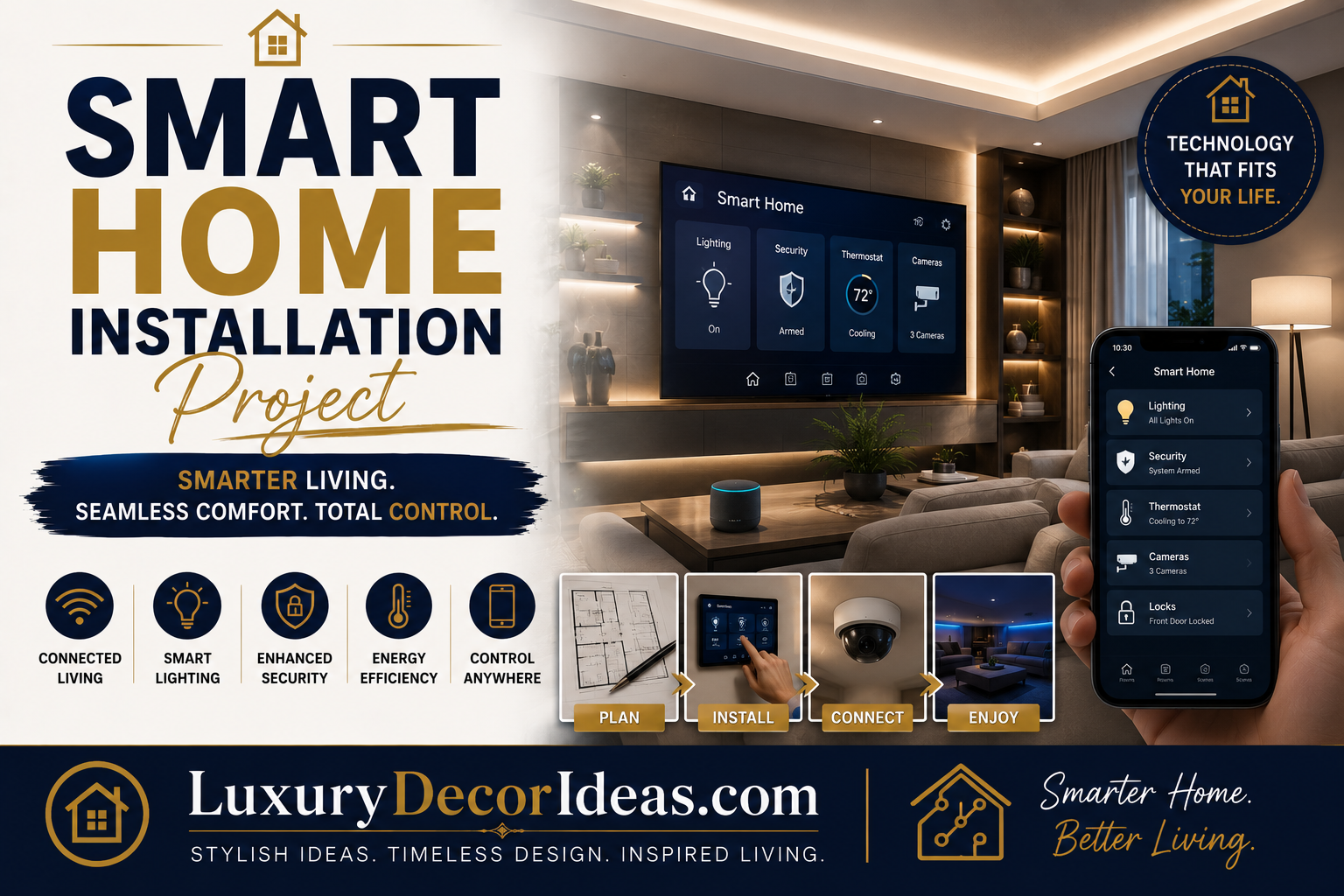
There was a time when a smart home meant a single voice assistant speaker sitting on your kitchen counter, mostly used to check the weather or set a timer. Today, smart home technology has genuinely matured into a comprehensive ecosystem that can control your lighting, security, temperature, and even your window treatments, all working together seamlessly to make your daily life more convenient, secure, and efficient.
If you have been wanting to transform your home into a genuinely smart, connected space but are not sure where to start, we are walking through a complete, step by step approach to planning and executing your own smart home installation project. Whether you are starting from scratch or expanding an existing setup, let us help you build a system that genuinely works for your household. Let us get into it. 🔌✨
Why a Thoughtful Approach Genuinely Matters 🤔
Before diving into the specific installation steps, let us talk about why a strategic, planned approach delivers significantly better results than randomly purchasing individual smart devices.
🌟 A cohesive system, built around a single compatible ecosystem, genuinely functions more smoothly than a mismatched collection of unrelated devices 🌟 Proper planning prevents the common frustration of purchasing devices that ultimately do not work well together 🌟 Prioritizing your household’s genuine daily pain points ensures your investment delivers real value rather than novelty features you rarely use 🌟 A phased installation approach allows you to build out your system gradually, spreading costs over time 🌟 Understanding your home’s specific infrastructure needs upfront prevents costly compatibility issues later
With that context established, let us walk through exactly how to plan and execute your own smart home installation.
Step One: Choose Your Ecosystem Foundation 📱
Before purchasing any individual devices, deciding on your primary smart home ecosystem creates the foundation for everything that follows.
🗣️ Voice assistant platforms, such as those built around Amazon or Google, offer broad device compatibility and voice control convenience 🍏 Apple centric ecosystems offer strong integration for households already using Apple devices, with particular emphasis on privacy and security 🏠 Dedicated smart home hubs offer more flexible, brand agnostic control, particularly appealing for households wanting to mix and match devices from multiple manufacturers
Comparison Table: Ecosystem Foundation Comparison 🧾
| Ecosystem Type | Best For | Device Compatibility | Voice Control |
|---|---|---|---|
| Amazon Based | Broad device compatibility | Very High | Excellent |
| Google Based | Search and calendar integration | Very High | Excellent |
| Apple Based | Existing Apple households | Moderate to High | Good |
| Dedicated Hub | Mixed brand flexibility | High | Varies by hub |
Step Two: Identify Your Household’s Priority Needs 📋
Rather than purchasing every available smart device, take time to genuinely identify which specific pain points matter most for your household.
🔒 Security and safety. Consider smart locks, doorbell cameras, and security systems if peace of mind ranks as a top priority.
💡 Lighting and ambiance. Smart bulbs and switches offer convenience and energy savings, particularly appealing for households wanting flexible scheduling and control.
🌡️ Climate control. A smart thermostat offers genuine, measurable energy savings alongside daily convenience.
🔌 Appliance and outlet control. Smart plugs allow you to control existing devices without replacing them entirely, offering an affordable entry point into home automation.
Step Three: Plan Your Network Infrastructure 📡
A reliable, robust home network genuinely forms the backbone of any successful smart home system, making this planning step essential before installing individual devices.
📶 Confirm your current router provides adequate coverage throughout your entire home, particularly in areas where you plan to install smart devices 🔧 Consider a mesh network system if your home has historically experienced dead zones or weak signal areas 🔒 Set up a dedicated network specifically for smart home devices, separate from your primary household network, for improved security and performance 📊 Verify your internet plan offers adequate bandwidth to support multiple connected devices simultaneously
Comparison Table: Network Infrastructure Considerations 🧾
| Consideration | Why It Matters | Recommendation |
|---|---|---|
| Router Coverage | Ensures reliable device connectivity | Test signal strength throughout home |
| Mesh Network | Eliminates dead zones | Consider for larger or multi story homes |
| Dedicated IoT Network | Improves security and performance | Separate smart devices from main network |
| Bandwidth Capacity | Supports multiple connected devices | Confirm plan meets household needs |
Step Four: Start With High Impact, Low Complexity Devices 🔌
Rather than attempting a complete overhaul all at once, beginning with simpler, high impact devices allows you to build confidence and experience before tackling more complex installations.
🌡️ Smart thermostat. Genuinely straightforward for most homeowners to install themselves, offering immediate, noticeable value through energy savings and convenience.
🔌 Smart plugs. Require no wiring knowledge whatsoever, simply plugging into existing outlets to add smart control to lamps, fans, or other devices.
💡 Smart bulbs. Screw directly into existing light fixtures, offering an easy entry point into smart lighting without any wiring work.
🔔 Video doorbell. Moderate installation difficulty, typically involving straightforward wiring at your existing doorbell location.
Comparison Table: Beginner Friendly Devices by Category 🧾
| Device | Installation Difficulty | Immediate Value |
|---|---|---|
| Smart Thermostat | Beginner to Intermediate | High, energy savings |
| Smart Plugs | Very Easy | Medium, convenience |
| Smart Bulbs | Very Easy | Medium, ambiance and convenience |
| Video Doorbell | Intermediate | High, security peace of mind |
Step Five: Move Into More Complex Installations 🔧
Once you have gained confidence with simpler devices, you can progress toward more involved smart home projects.
💡 Smart light switches. Require basic electrical wiring knowledge, replacing traditional switches with app and voice controllable versions.
🔒 Smart locks. Moderate installation difficulty, typically replacing your existing deadbolt hardware with a connected version.
📹 Security camera systems. Installation complexity varies depending on whether you choose wireless or hardwired options, with wireless generally offering a more approachable DIY installation.
🚿 Smart water leak detectors. Relatively simple installation, placed near water heaters, washing machines, or other leak prone areas for early detection and peace of mind.
Comparison Table: Intermediate Installation Projects 🧾
| Device | Installation Difficulty | Skill Needed |
|---|---|---|
| Smart Light Switches | Intermediate | Basic electrical wiring |
| Smart Locks | Intermediate | Basic hardware installation |
| Security Cameras | Intermediate | Mounting and network setup |
| Water Leak Detectors | Easy to Intermediate | Basic placement and setup |
Step Six: Integrate Everything Into a Cohesive System 🔗
With individual devices installed, this step brings everything together into a genuinely functional, unified smart home experience.
📱 Connect all devices to your chosen ecosystem app, ensuring proper naming and room assignment for easy voice control 🤖 Set up automation routines, such as lights turning on automatically at sunset or your thermostat adjusting based on your daily schedule 🗣️ Test voice control functionality throughout your home to confirm reliable performance 👥 Add additional household members to your system, ensuring everyone can access and control devices as needed
Full Summary Table of the Installation Process 📋
| Step | Focus | Key Consideration |
|---|---|---|
| 1 | Choose Ecosystem Foundation | Match to existing devices and preferences |
| 2 | Identify Priority Needs | Focus on genuine household pain points |
| 3 | Plan Network Infrastructure | Ensure reliable, secure connectivity |
| 4 | Start With Simple Devices | Build confidence with easy installations |
| 5 | Progress to Complex Installs | Add switches, locks, and cameras |
| 6 | Integrate Into Cohesive System | Set up automation and household access |
Setting Up Automation Routines 🤖
One of the most genuinely valuable aspects of a smart home system involves setting up automation that works quietly in the background, without requiring constant manual control.
🌅 Schedule lights to turn on gradually in the morning, mimicking a natural sunrise for a gentler wake up routine 🌙 Set up an evening routine that locks doors, adjusts your thermostat, and dims lighting automatically at a consistent time each night 🚗 Configure geofencing features that trigger specific actions, like adjusting your thermostat, when you leave or approach your home 🎬 Create scene based lighting settings for specific activities, such as movie watching or entertaining guests
Budget Expectations for This Project 💰
One of the most appealing aspects of a smart home installation project is the flexibility to build your system gradually, spreading costs over time based on your specific priorities.
💵 Starting with smart plugs, bulbs, and a thermostat represents a genuinely budget friendly entry point 💰 Adding smart switches, locks, and a video doorbell falls into a moderate budget range as your system expands 💎 A comprehensive system including security cameras, whole home automation, and professional installation represents a larger investment but delivers the most complete, integrated experience
Common Mistakes to Avoid During This Project ⚠️
Even well planned smart home installations can run into a few common pitfalls worth watching for.
❌ Purchasing devices from multiple incompatible ecosystems without confirming they will actually work together ❌ Underestimating network infrastructure needs, resulting in unreliable device performance ❌ Attempting complex electrical installations beyond your comfort level without professional help ❌ Adding too many devices at once, leading to a confusing, overwhelming system rather than genuine convenience ❌ Neglecting security considerations, such as changing default passwords on connected devices
Frequently Asked Questions ❓
Do we need to choose one single ecosystem for our entire smart home? While not strictly required, choosing a primary ecosystem for the majority of your devices genuinely improves overall system reliability and ease of use compared to a completely mismatched collection.
Is professional installation necessary for any smart home devices? Most devices are genuinely designed for DIY installation, though more complex electrical work, like smart switches, or comprehensive security systems may benefit from professional installation if you feel uncertain.
How do we ensure our smart home system stays secure? Setting up a dedicated network for smart devices, using strong unique passwords, and keeping device firmware updated are all essential steps for maintaining security throughout your system.
What is the best starting point for someone new to smart home technology? A smart thermostat and a few smart plugs offer an excellent, low risk starting point, providing immediate value while building your confidence before tackling more complex installations.
Can smart home devices genuinely save money on utility bills? Yes, particularly smart thermostats, which have been shown to meaningfully reduce heating and cooling costs through more precise, automated temperature management.
Final Thoughts 💭
Building a genuinely functional smart home system involves far more than simply purchasing every available connected device. From choosing the right ecosystem foundation and identifying your household’s actual priority needs to planning reliable network infrastructure and gradually progressing from simple to more complex installations, this guide walks through everything you need to approach this project with genuine confidence.
Take your time building out your system, prioritize the devices that address genuine daily pain points, and trust that a thoughtfully planned smart home delivers real, lasting convenience rather than just impressive sounding features. Here is to a home that genuinely works smarter for you and your family every single day. 📱🏡